一.pytorch和cuda版本一定要匹配,python版本要大于等于3.9。
二.在Live Talking文件夹下打开命令提示符,运行:
python app.py --transport webrtc
如果更换成预设模型,使用:
python app.py --transport webrtc --model wav2lip --avatar_id wav2lip256_avatar1
(传输模式WebRTC P2P)
三.修改llm.py

修改llm.py文件内容,全部替换为:
import time
import os
from basereal import BaseReal
from logger import logger

def llm_response(message, nerfreal: BaseReal):
    start = time.perf_counter()
    from openai import OpenAI

    try:
        client = OpenAI(
            api_key="你的密钥",
            base_url="你的接口URL",
        )
        end = time.perf_counter()
        logger.info(f"llm Time init: {end-start}s")

        completion = client.chat.completions.create(
            model="DeepSeek-R1",
            messages=[
                {'role': 'system', 'content': '你是一个智能服务助手.'},
                {'role': 'user', 'content': message}
            ],
            stream=True,
            stream_options={"include_usage": True}
        )

        result = ""
        first = True

        # 新增:调试计数器
        chunk_counter = 0

        for chunk in completion:
            chunk_counter += 1

            # 调试输出1:打印完整chunk结构
            logger.debug(f"[Chunk {chunk_counter}] 原始结构 >>> {chunk}")

            # 增强判断逻辑
            if not chunk.choices or len(chunk.choices) == 0:
                logger.warning(f"[Chunk {chunk_counter}] 空choices字段")
                continue

            delta = chunk.choices[0].delta
            msg = delta.content if delta else None

            # 调试输出2:显示消息内容类型
            logger.debug(f"[Chunk {chunk_counter}] 消息类型: {type(msg)}, 内容预览: {str(msg)[:50]}...")

            if msg is None:
                logger.info(f"[Chunk {chunk_counter}] 收到系统控制消息: {chunk}")
                continue

            if first:
                end = time.perf_counter()
                logger.info(f"llm Time to first chunk: {end-start}s")
                first = False

            lastpos = 0
            valid_chars = ",.!;:,。!?:;"

            # 安全遍历逻辑
            for i, char in enumerate(msg):
                if char in valid_chars:
                    result += msg[lastpos:i+1]
                    lastpos = i+1
                    if len(result) > 10:
                        logger.info(f"发送分段: {result}")
                        nerfreal.put_msg_txt(result)
                        result = ""

            result += msg[lastpos:]

        end = time.perf_counter()
        logger.info(f"llm Time to last chunk: {end-start}s")
        if result:
            nerfreal.put_msg_txt(result)

    except Exception as e:
        logger.error(f"LLM处理异常: {str(e)}", exc_info=True)
        nerfreal.put_msg_txt("服务暂时不可用,请稍后再试")
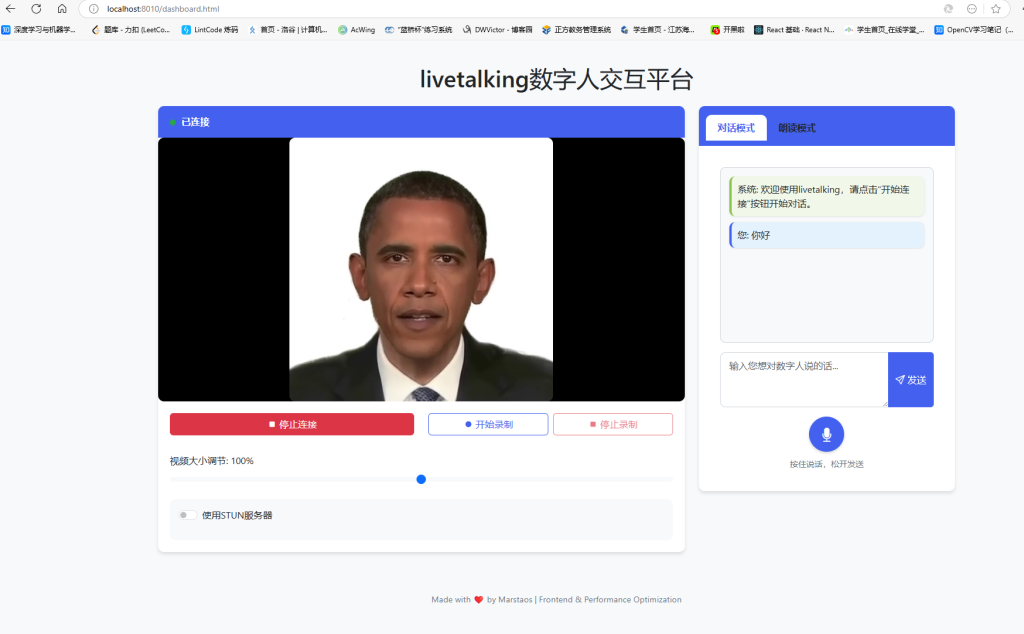
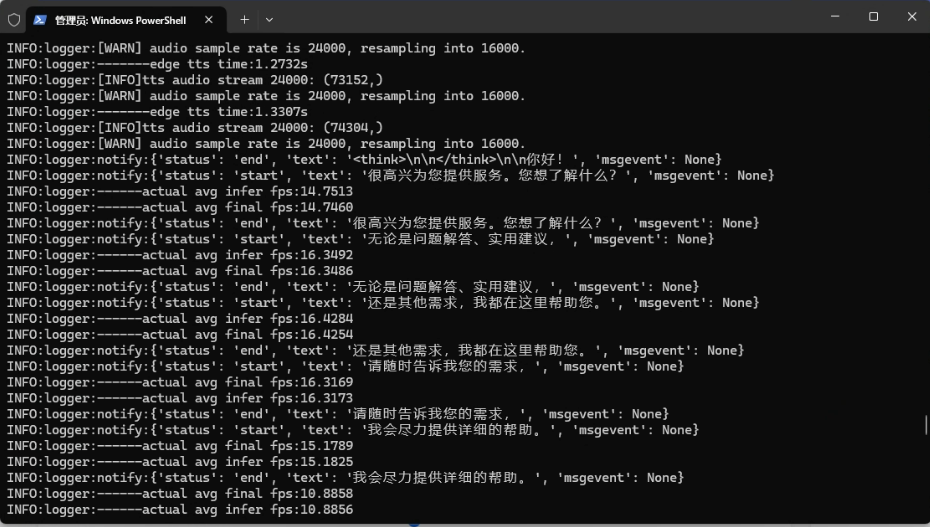
使用效果: